Free invoice generator. No sign-up.
Add your client, line items and payment details. Download a watermark-free PDF or send a link. Your saved invoices stay in this browser.
 Open a filled-in example
The work took a day. The invoice took an hour.
“Love this new product of yours, UX feels so good, everything is where its supposed to be.”
 Manu AroraFounder, Aceternity UI
- found last month's invoice
- copied it into a new file
- retyped the client's address
- fixed the invoice number
- redid the tax by hand
- exported it, wrong margins
- signed up for a free trial
- removed the watermark
How to make an invoice in 3 steps.
What you see on screen is the PDF your client gets.
- Step 1
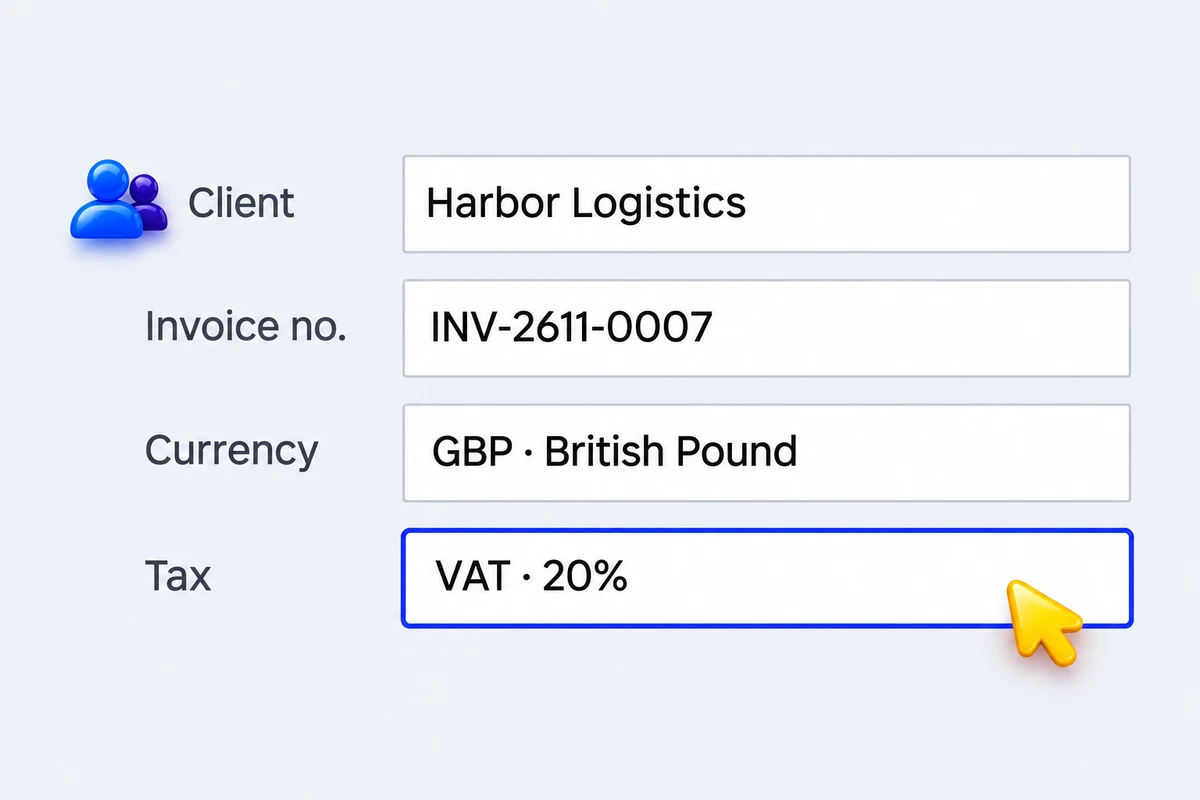
Add your details
Your business, your client and the line items. Save both as profiles for next time.
- Step 2
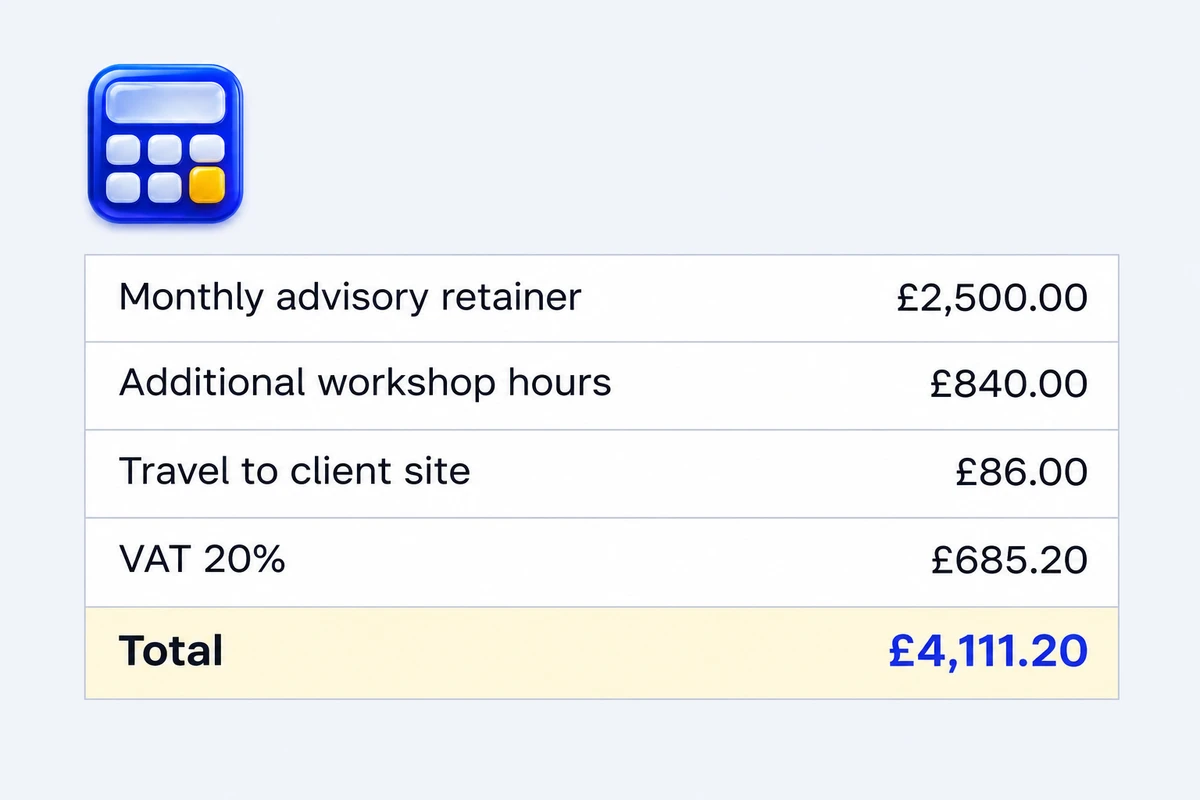
Tax is calculated
VAT, sales tax or GST (CGST, SGST, IGST), discounts and totals, worked out for you.
- Step 3
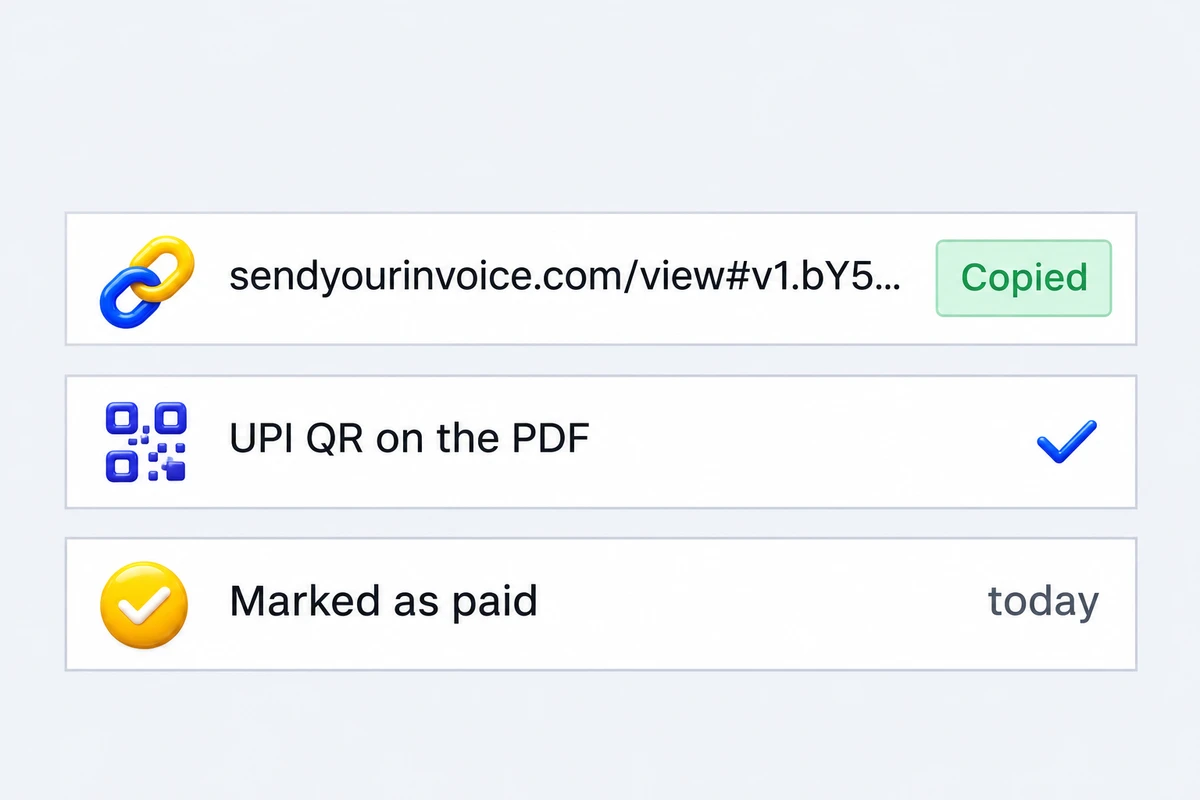
Download or share
Download the PDF or send a link. Add a payment link or UPI QR code.


Everything an invoice needs. Nothing it doesn't.
Built for freelancers and small businesses.
 All features
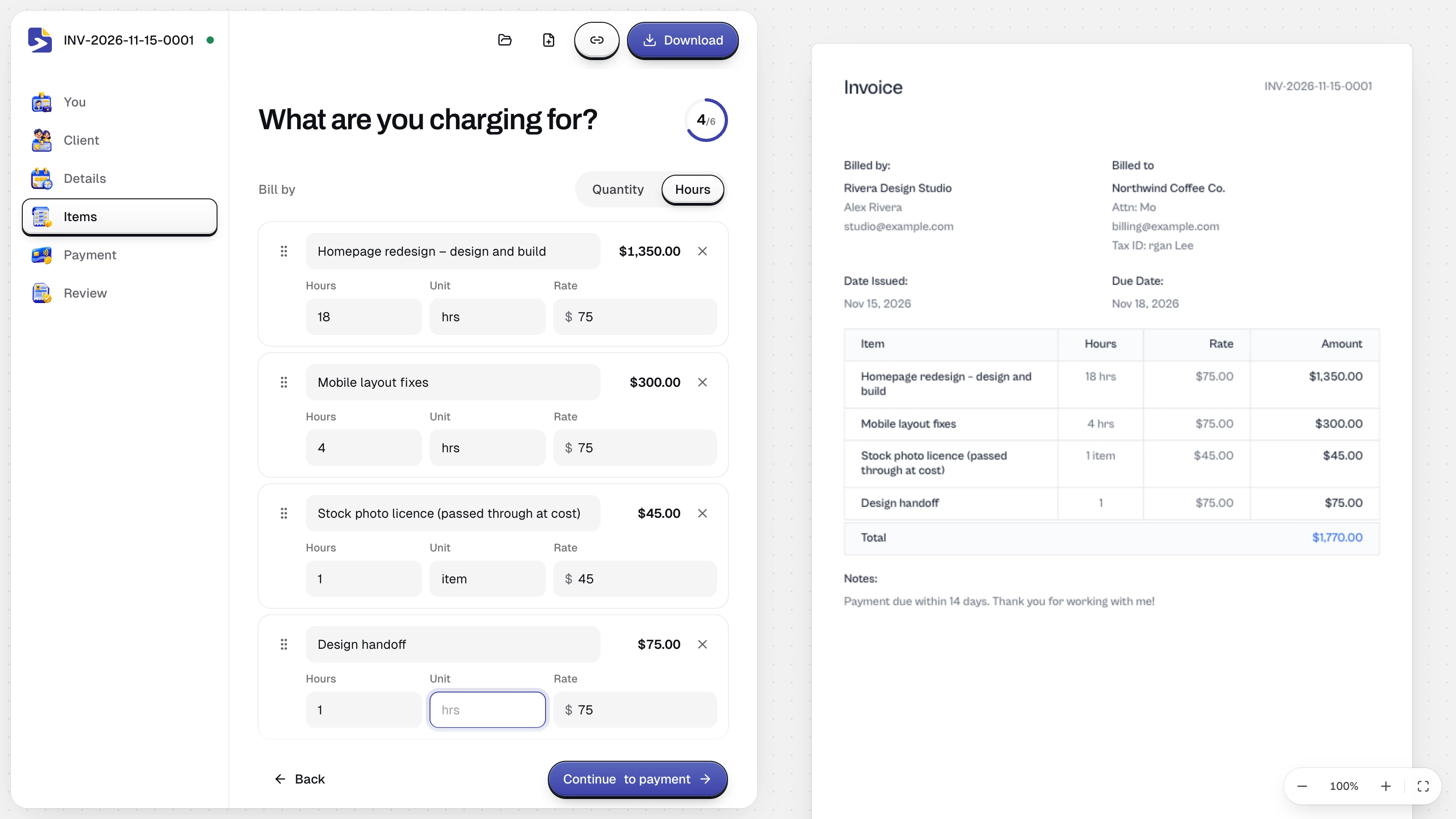
Live PDF
An A4 PDF built as you type. No watermark.
Two templates
Classic or Minimal, with your logo and signature.
VAT and sales tax
One rate or a rate per line, with your own label.
GST invoices
GSTIN, HSN/SAC, CGST + SGST or IGST, amount in words.
28 currencies
Each written the local way, from ₹1,23,456 to ¥12,000.
Share links
Send a link that opens the invoice. Nothing is uploaded.
Status and backup
Track draft, sent, paid and overdue. Back up in one click.
Free and private
No account, no paid tier. Invoices stay in your browser.


Invoice templates for how you bill.
Freelancers, contractors, consultants and more. Each opens a filled-in example.

Invoicing for Freelancers
A free invoice template and a checklist that gets you paid
Sample: $1,695.00Read
Invoicing for Contractors
Separate labour and materials, record deposits, get paid on completion
Sample: $1,414.91Read
Invoicing for Consultants
Retainers, additional hours and expenses on one clear invoice
Sample: £4,111.20Read
Invoicing for Small Businesses
Products, services, discounts and tax without accounting software
Sample: $367.98Read
Invoicing for Designers
Bill by milestone, charge for extra revisions, release files on payment
Sample: €2,964.50Read
Invoicing for Software Developers
Hours, sprints and support, in your client's currency
Sample: $3,890.00Read
Invoicing for Photographers
Bill the shoot, the edit and the licence on separate lines
Sample: $1,235.00Read
Is sendyourinvoice free?
Yes. Every feature is free, with no paid tier, watermark or download limit.
Do I need an account?
No. Open the builder, fill in the invoice and download the PDF. No email or card needed.
Where are my invoices stored?
Your saved invoices stay in this browser on this device. The browser also generates the PDF without uploading invoice contents.
What if I clear my browser or switch devices?
Clearing site data deletes saved invoices. Use Back up on Saved invoices to save a file, then Restore it anywhere.
Can I make a GST invoice for India?
Yes. Choose GST to add GSTINs, HSN/SAC codes and place of supply. CGST + SGST or IGST is split automatically.
Can I add VAT or sales tax?
Yes. Use one rate for the whole invoice or a rate per line, and name it VAT, Sales tax or anything else.
Which currencies are supported?
28, including USD, EUR, GBP, INR, CAD, AUD, SGD, AED and JPY, each formatted the local way.
Can I send an invoice without a PDF?
Yes. Copy the invoice share link and send it to your client. Anyone with the link can view and download the invoice.
Does it do recurring invoices?
Recurring billing is manual. Duplicate the previous invoice from Saved invoices, check the dates and amount, then send the new copy.
- No account or card
- PDF download
- Stays on your device
- VAT, sales tax, GST
- 28 currencies
- No watermark
- Share by link
- UPI QR codes
- Draw, type or upload a signature
- Free forever
Create your next invoice.
Free, no sign-up. Download the PDF or send a link.